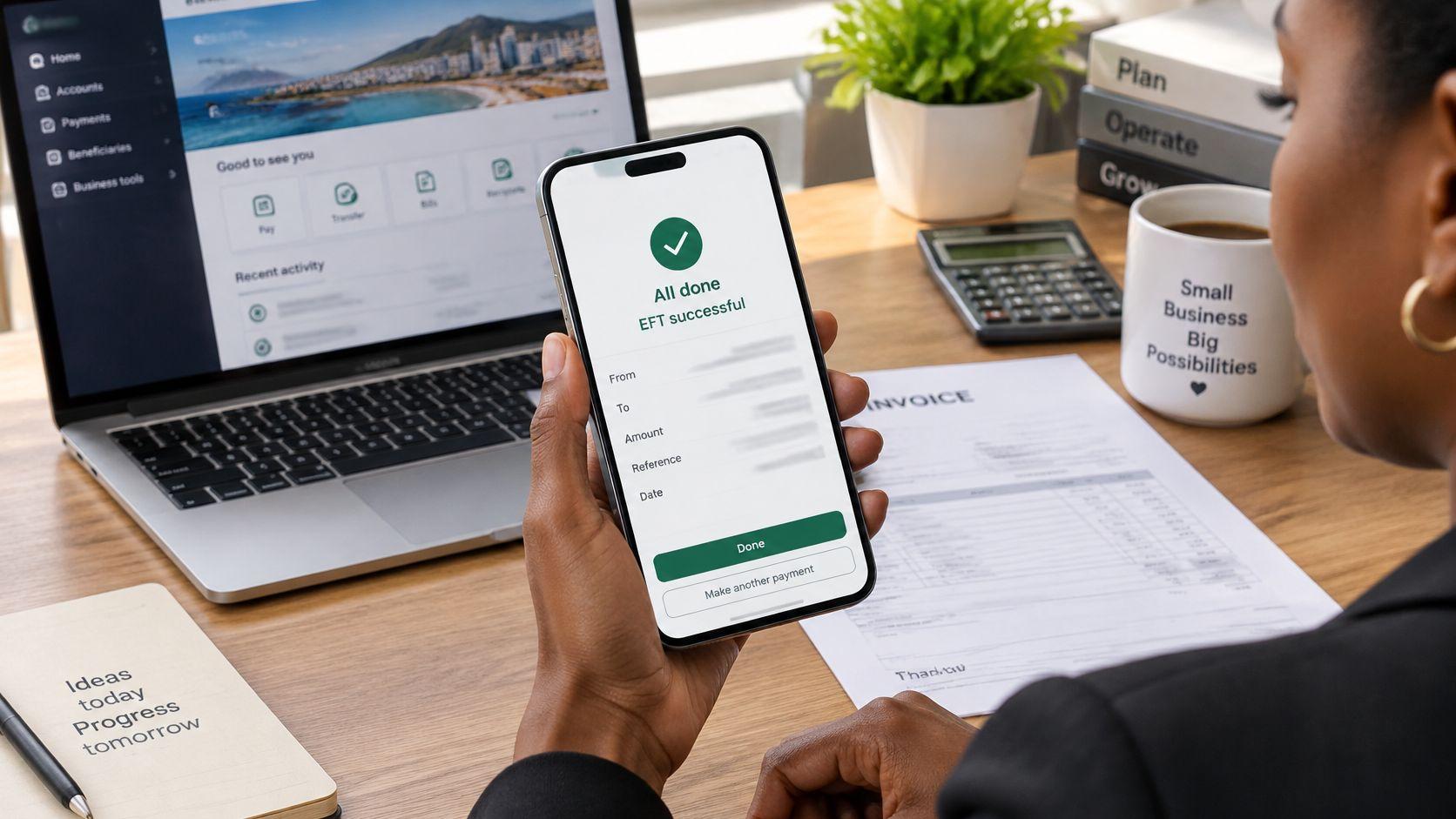
Your supplier is waiting, the invoice is already due, and you've opened Standard Bank to get the payment out. Before you authorise it, you need to know that the account details are correct, the payment will leave when expected, and the supplier will receive enough to settle the invoice.
For a local payment, that means choosing the right beneficiary and checking the reference. For an overseas payment, it also means checking the currency, bank charges and exchange-control documents. A successful submission isn't the same as a settled invoice.
How to Transfer Money Using Standard Bank Step by Step
Log in and select the funding account. Open the Standard Bank app or Online Banking through your usual trusted route, not a link in a payment email. Confirm you're using the business account that holds the funds, and check the available balance rather than relying on the statement balance.
Open the payments menu. Choose the option to pay a beneficiary, then select an existing beneficiary or add a new one. Menu labels can differ between the app, Online Banking and Business Online, so follow the payment function available on your profile.
Enter the beneficiary's banking details. Capture the registered account-holder name, bank, branch or universal branch code, account number and account type. Don't substitute a familiar trading name for the account-holder name shown on the banking document.
Enter the amount and payment reference. Check the invoice total, including any agreed credit notes or part-payments, before typing the amount. Use a reference the supplier can recognise, such as the invoice number and billing month, and check whether the form has separate references for your statement and theirs.
Choose the payment date. Confirm whether you're paying now or scheduling a future payment. Check the cut-off shown for your payment route, because choosing today's date doesn't guarantee today's processing if the applicable window has closed.
Review and authorise. Compare the summary with the invoice and beneficiary document, paying particular attention to the account number, amount and execution date. Complete the security approval requested for your profile, and ensure any additional business authoriser releases the payment rather than leaving it awaiting approval.
Save the confirmation. Download or save the transaction reference, submission time and payment status. Store these with the invoice so your finance team can trace the instruction without searching through messages.
Check the status before closing the app
A successful submission should leave you with a transaction reference and a status indicating that the payment is scheduled, processing or otherwise accepted for handling. If it's awaiting authorisation, the payment workflow isn't finished.
EFT is a routine business-payment route, not an unusual workaround. The South African Reserve Bank's national payment system report records that EFT credits represented 70.3% of retail payment settlement values processed through the South African Multiple Option Settlement system in 2024.
Practical rule: Save the bank's confirmation as evidence of your instruction, not as evidence that the supplier's account has been credited.
Keep your login credentials and approval codes private throughout. If someone calls claiming they need your approval code to release the supplier's payment, stop and contact the bank through your established banking channel.
Details You Need for Each Transfer Type
Required details for a Standard Bank transfer
| Field | Where to find it | Common error |
|---|---|---|
| Beneficiary name | Registered account holder on the bank statement or invoice | Using a trading name instead |
| Beneficiary bank | Bank name printed on the payee's statement | Choosing a similar-sounding bank |
| Branch code | Universal branch code for the payee's bank | Using an old or wrong branch code |
| Account number | Bank statement or signed invoice | Transposed or missing digits |
| Account type | Cheque, savings or transmission, from the statement | Selecting the wrong type |
| Payment reference | Invoice number and month | Blank or vague reference that cannot be reconciled |
| Amount | Invoice total or agreed contract figure | Typing errors in the decimal place |
| Payment date | Date you choose in the form | Choosing a public holiday or submitting after cut-off |
Account-number mistakes and incorrect branch codes deserve a deliberate check. Compare the full account number with the banking document rather than checking only its final digits, and don't assume an old beneficiary remains correct after a supplier changes banks.
An invoice reference serves a different purpose from banking details. It helps the recipient allocate the credit, but it won't correct a payment sent to the wrong account.
Extra details for international payments
For an overseas beneficiary, obtain the SWIFT or BIC code, the beneficiary's full address and the currency their account accepts. Where the destination uses an IBAN or another local routing identifier, ask the beneficiary for the complete incoming-payment instructions issued by their bank.
Confirm the invoice currency separately from the account currency. A supplier invoicing in USD may provide banking details for an account with different currency-handling arrangements, which can introduce an unwanted conversion.
Expect to provide a purpose of payment and supporting information. Give a meaningful description of the goods or services rather than a vague label such as business expenses.
Before saving a beneficiary, verify the details against an independently obtained bank statement or confirmed invoice. For a change of banking details, call a previously verified contact using a number already in your records, not the number supplied in the change request. Save the beneficiary only after that check, and restrict who can edit it.
Exchange Control Checks Before You Send Abroad
The difficult part of an international payment is often classifying it correctly, not pressing the transfer button. A payment can be captured accurately and still wait while the bank requests evidence of its purpose.
Standard Bank's international payments guide says payments by South African residents to foreign parties fall under exchange-control regulations and may require supporting documents or SARB approval; its business instructions distinguish payments below or above R1.5 million and businesses making fewer than 15 payments annually. Those distinctions aren't blanket exemptions, so confirm the requirements for the actual transaction.
Prepare evidence that explains the transaction
| Payment case | Documents to have ready |
|---|---|
| Overseas supplier | Invoice, purchase order and relevant contract |
| Contractor | Signed services agreement, invoice and relevant tax details |
| Software subscription | Subscription invoice and service description |
| Royalties | Licence agreement and royalty calculation |
| Export proceeds being received | Export invoice and relevant shipping or service-delivery records |
| Intercompany transfer | Group relationship evidence, underlying agreement and board or treasury approval |
These are preparation documents, not a guarantee that every payment needs the same pack. The bank may request different evidence according to the transaction's classification.
Don't fund a company obligation under a personal travel or discretionary category. Personal allowances and corporate exchange-control treatment aren't interchangeable.
Describe what the business is paying for, not merely who is receiving the money.
Use this pre-submission checklist:
- Purpose matched: The selected payment category agrees with the invoice and contract.
- Evidence attached: Documents show the parties, currency, amount and commercial reason.
- Approval checked: Any required bank or regulatory approval is resolved.
- Names consistent: The paying company and beneficiary match the supporting records.
An ordinary domestic EFT to a South African supplier doesn't require this international-payment review. A local transfer used to fund a later overseas payment doesn't remove the checks on that overseas leg.
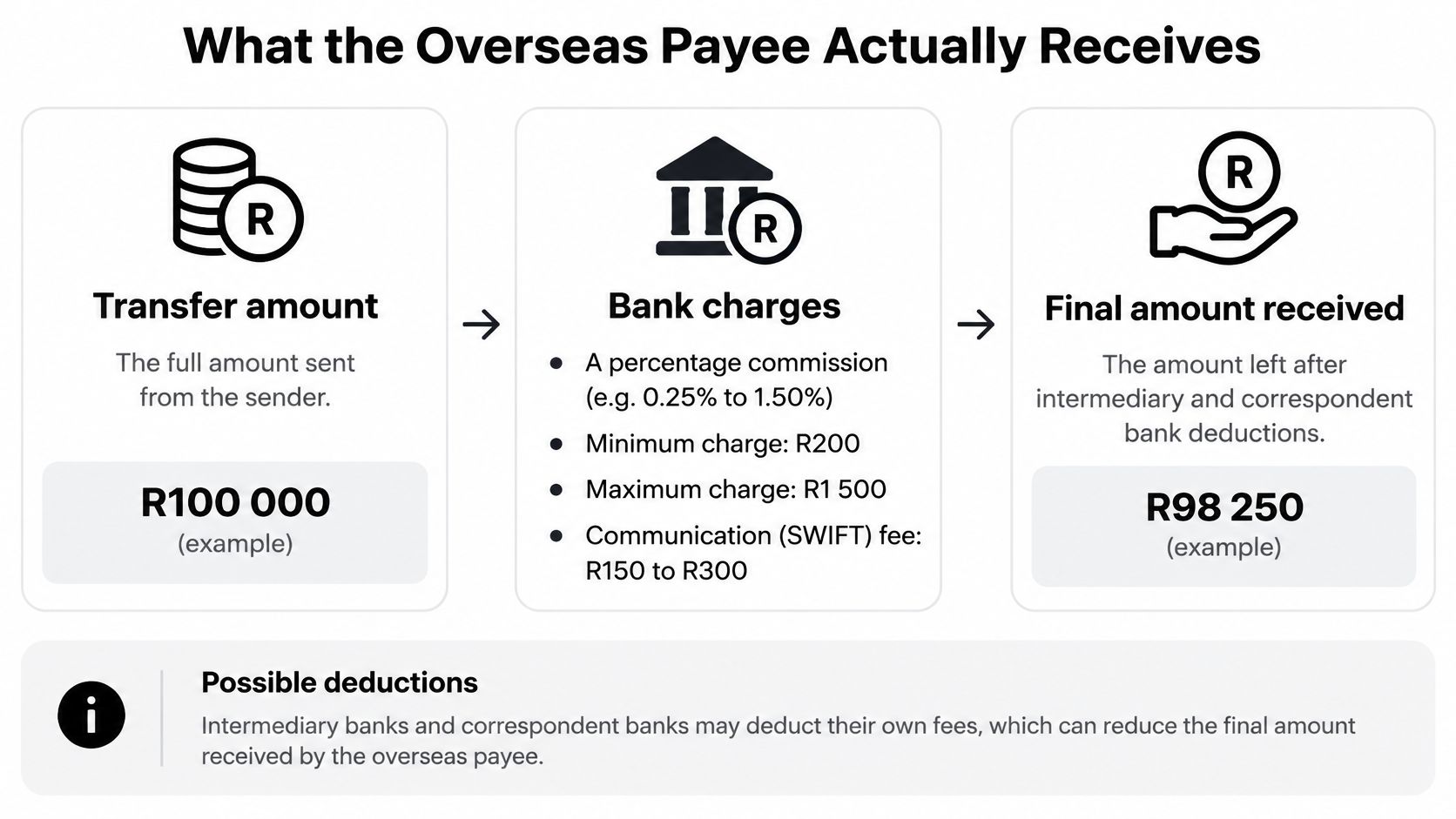
What the Overseas Payee Actually Receives
Say you're settling a foreign-currency contractor invoice from your ZAR account. Start with the bank's quoted exchange rate to establish the foreign-currency principal, then check whether commission and communication charges are added to your debit or taken from the transfer budget.
The calculation is:
Foreign-currency principal = ZAR allocated to conversion ÷ quoted ZAR cost per unit of foreign currency.
Payee's net credit = foreign-currency principal less any charges deducted along the payment route.
This is a worked calculation framework rather than a tariff example. Insert the actual quoted rate and charges before authorising, because invented fee assumptions won't tell you whether the invoice will be settled.
Standard Bank's Trade and Forex External Pricing Guide describes percentage-based outward-transfer commission subject to minimum and maximum charges, with an additional communication or SWIFT fee potentially applicable. It also explains that sending, intermediary and beneficiary banks can charge fees, and that beneficiary-bank charges may not be known in advance.
Choose who bears the charges
How each fee option changes the amount received
| Fee option | Who pays charges | Effect on amount received |
|---|---|---|
| OUR | Sender covers all charges under the selected arrangement | Usually the full instructed amount, if no separate beneficiary-bank fee applies |
| SHA | Sender and payee share charges | Intermediary charges may be deducted from the amount received |
| BEN | Payee pays all charges | The instructed amount is reduced by applicable bank fees |
OUR is the more suitable starting point when the invoice must arrive in full, but don't treat the label as an unconditional net-credit guarantee. Ask Standard Bank in writing which charges the arrangement covers and whether the receiving bank can still levy a separate fee.
SHA can suit a commercial agreement that explicitly shares costs. BEN shifts the burden to the recipient and can leave an invoice underpaid unless the contract allows those deductions.
For businesses considering whether to hire developers from latam through HireDevelopers.com, the same payment planning applies: agree the contractor's invoice currency and whether their fee must arrive net of bank charges before the engagement begins.
A low transfer commission doesn't establish a low total cost. Compare the exchange rate, your total debit and the recipient's expected credit.
After settlement, obtain the actual amount credited and compare it with the invoice. Record any shortfall as an unresolved supplier balance rather than assuming your own bank debit proves full payment.
Confirming a Payment and Fixing Delays
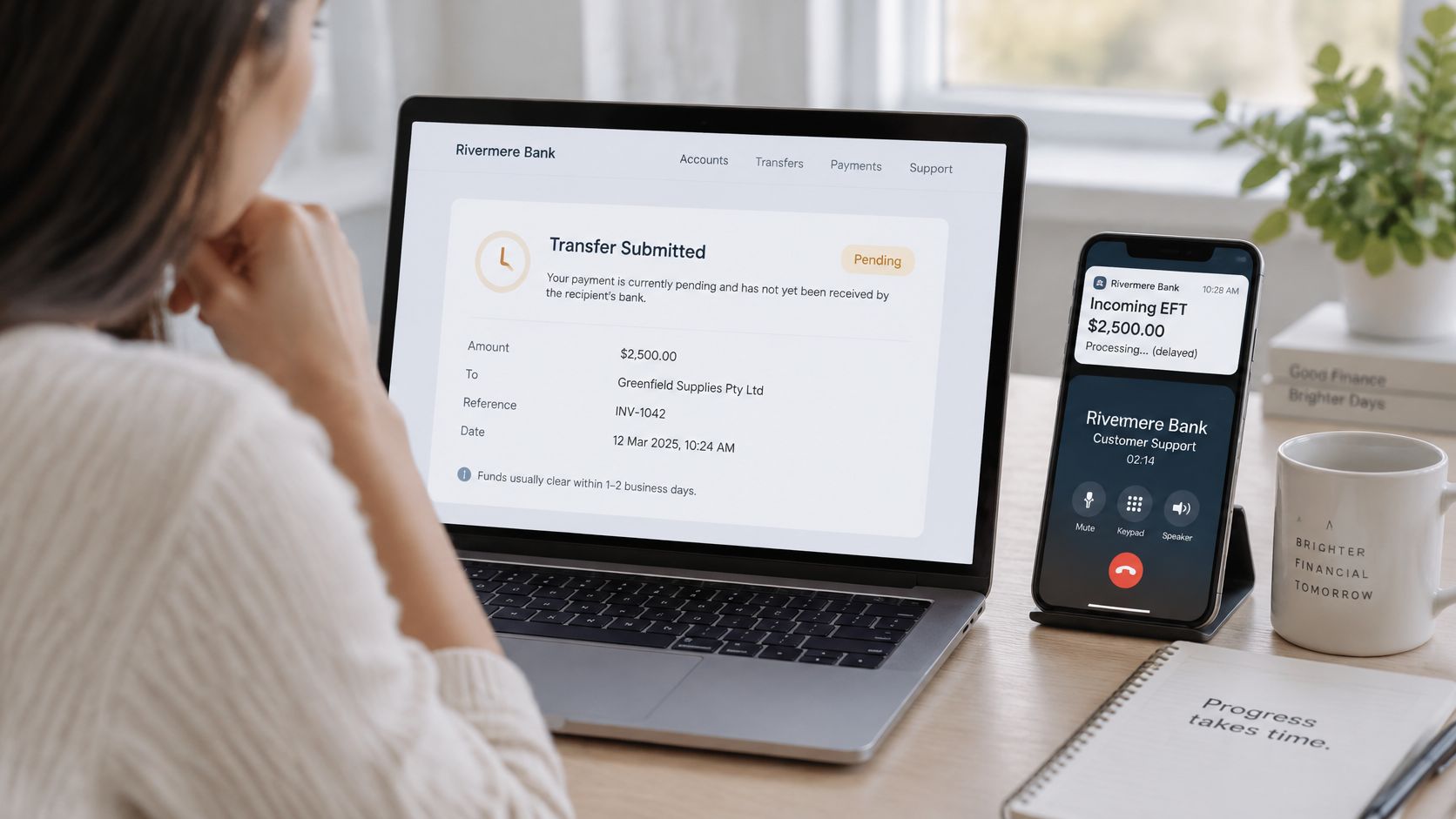
The confirmation-screen mistake is straightforward: the sender sees an accepted instruction and tells the supplier the money has arrived. Treat a domestic EFT as pending until the recipient confirms cleared funds, then match the payment reference to your bank statement.
The South African Reserve Bank payment-conference material describes standard interbank EFT clearing of up to two business days and gives FNB's other-bank cut-offs as 16:45 Monday to Friday and 10:15 Saturday, with payments after cut-off moving to the next business day. Those are FNB examples, not Standard Bank deadlines, so use the cut-off applicable to your Standard Bank payment.
Expected clearing times by transfer route
| Transfer route | Typical clearing time | What to check |
|---|---|---|
| Standard Bank to another bank, interbank EFT | Allow the standard interbank clearing window stated above | Payee confirms receipt of cleared funds |
| Between your own Standard Bank accounts | Check the processing status shown for the internal transfer | Balance updated on both accounts |
| International SWIFT transfer | Use the bank's quoted delivery window for the currency and route | Payee's bank confirms credit to the account |
Don't apply an internal-processing promise from another banking group to Standard Bank. For your own-account transfers, check both balances instead of assuming the debit alone completes the move.
Diagnose before sending again
Start with the transaction status and beneficiary record. Wrong account numbers, stale saved details, duplicate payment files, public holidays and missed cut-offs are practical causes to investigate, not reasons to immediately repeat the payment.
- Awaiting approval: Ask the authorised signatory to review the instruction.
- Rejected: Read the rejection message, correct the identified field and check the statement before resubmitting.
- Debited but not received: Give the bank the transaction reference, date, amount and beneficiary details for tracing.
- Scheduled incorrectly: Check whether the instruction can still be amended or cancelled before processing.
If you've sent money to the wrong account, contact Standard Bank immediately. Don't assume a processed transfer can be cancelled like a scheduled instruction; recovery may require the recipient's cooperation.
For travel businesses coordinating customer messages, Samba's guide to when to send tour payment confirmations provides relevant communication context. Keep your wording precise: payment submitted, payment processing and funds received describe different events.
Keep the confirmation reference and matching statement line together until the payee confirms receipt. That record gives your finance team a clear starting point if the bank needs to trace the payment.
Choose the Right Route for Your Next Payment
Use a standard Standard Bank EFT for a domestic supplier or contractor when you have verified banking details and enough time for the applicable processing window. If the invoice is urgent, check the available payment routes before promising a delivery time.
For an international invoice, choose on the amount delivered and the evidence required, not familiarity with the banking screen. A saved beneficiary makes capture easier, but it doesn't establish that the exchange rate is competitive or that the payment purpose is correctly classified.
Compare quotes on the same basis
Request a bank quote and an alternative provider quote using the same invoice currency, recipient amount and intended payment date. Otherwise, a comparison can mix different exchange-rate moments or different assumptions about who pays charges.
Use a live mid-market USD to ZAR rate as a benchmark when that currency pair applies. We offer a free converter that checks that rate and compares what a bank may take through FX spread and SWIFT fees; the benchmark is a comparison tool, not a promise that a transaction will execute at that rate.
Record these items before choosing:
- Total funding required: The full ZAR debit, including disclosed charges.
- Expected recipient credit: The amount available to settle the invoice.
- Delivery expectation: The quoted processing window and any outstanding approval.
- Payment evidence: The invoice, beneficiary verification and supporting documents.
The decision rule is simple: use the route that meets the payment deadline with an acceptable total cost and a clear expected recipient credit. Before releasing your next instruction, write that expected credit into the payment file and assign someone to reconcile it after settlement.
Zaro offers business ZAR and USD accounts funded by bank transfer, with cross-border payments, a transparent quoted FX spread and no SWIFT fees. Visit Zaro to complete business verification and request a quote you can compare with your bank's total payment cost.