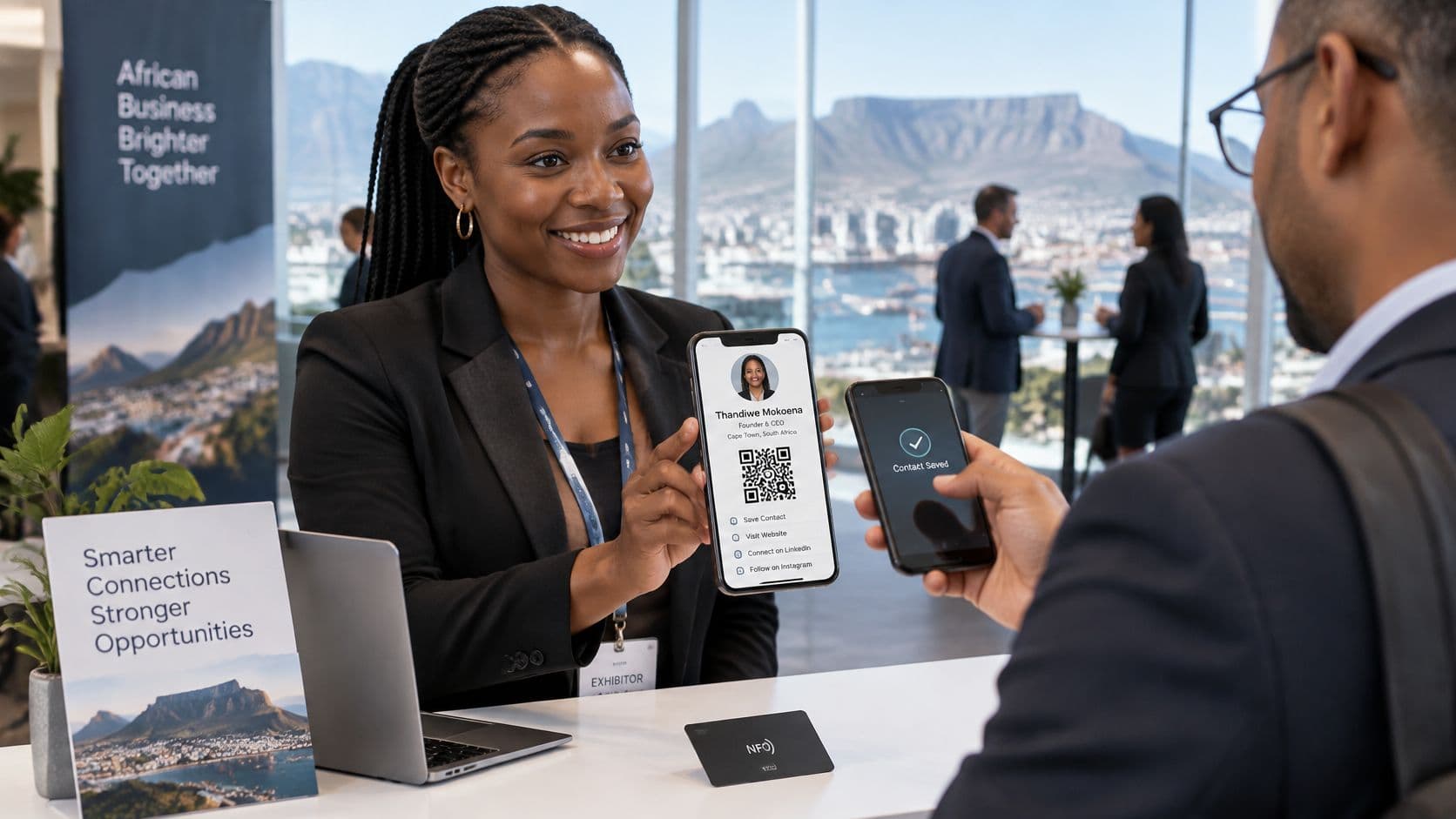
You're at an international trade show, speaking to a buyer who wants your South African company's export catalogue. You reach for a business card, then remember it carries your old job title and a telephone number nobody monitors anymore. You write corrections on the back and hope the buyer remembers which details to use.
A virtual business card can make that exchange easier. But the more important question is whether your company can control the identity it shares, help recipients verify it, and withdraw that representation when someone's role changes.
Why Your Paper Business Card Is Holding You Back
Consider a hypothetical exporter from Durban meeting a prospective distributor. The conversation goes well, but the card handed over directs enquiries to an employee who has moved into another role. The buyer has the correct company name, yet no clear route to the person who can approve the next step.
That's not primarily a design problem. It's a problem of maintaining accurate business information after you've distributed it.
Paper remains useful for introducing yourself. You can hand it over without asking someone to operate a phone, and it gives them something tangible to keep. However, the information on that particular copy stays fixed, even when your business changes.
A printed introduction isn't an identity check
A recipient can read a logo, title and email address on paper, but those details alone don't establish whether the person still represents the company. A printed website address gives them somewhere to investigate, but they must make that connection themselves.
The practical limitations become clearer when you consider what happens after the meeting:
- Contact changes: You can replace your own stock, but you can't edit copies already in customers' hands.
- Follow-up: Handing over a card doesn't tell your team whether the recipient found the right contact channel.
- Employee departures: An old card can continue circulating after someone's authority has ended.
- Business context: A small printed surface can't explain every relevant service, department or enquiry route.
Practical rule: Treat a business card as a doorway into your company, not as proof that someone has authority to act for it.
The alternative isn't necessarily to abandon paper. It's to stop relying on printed text as the final record of someone's professional identity.
For the exporter, a better outcome is straightforward: the buyer reaches a company-managed destination with a current contact and a clear next action. A virtual business card can provide that destination, provided the company takes responsibility for maintaining it.
What a Virtual Business Card Actually Is
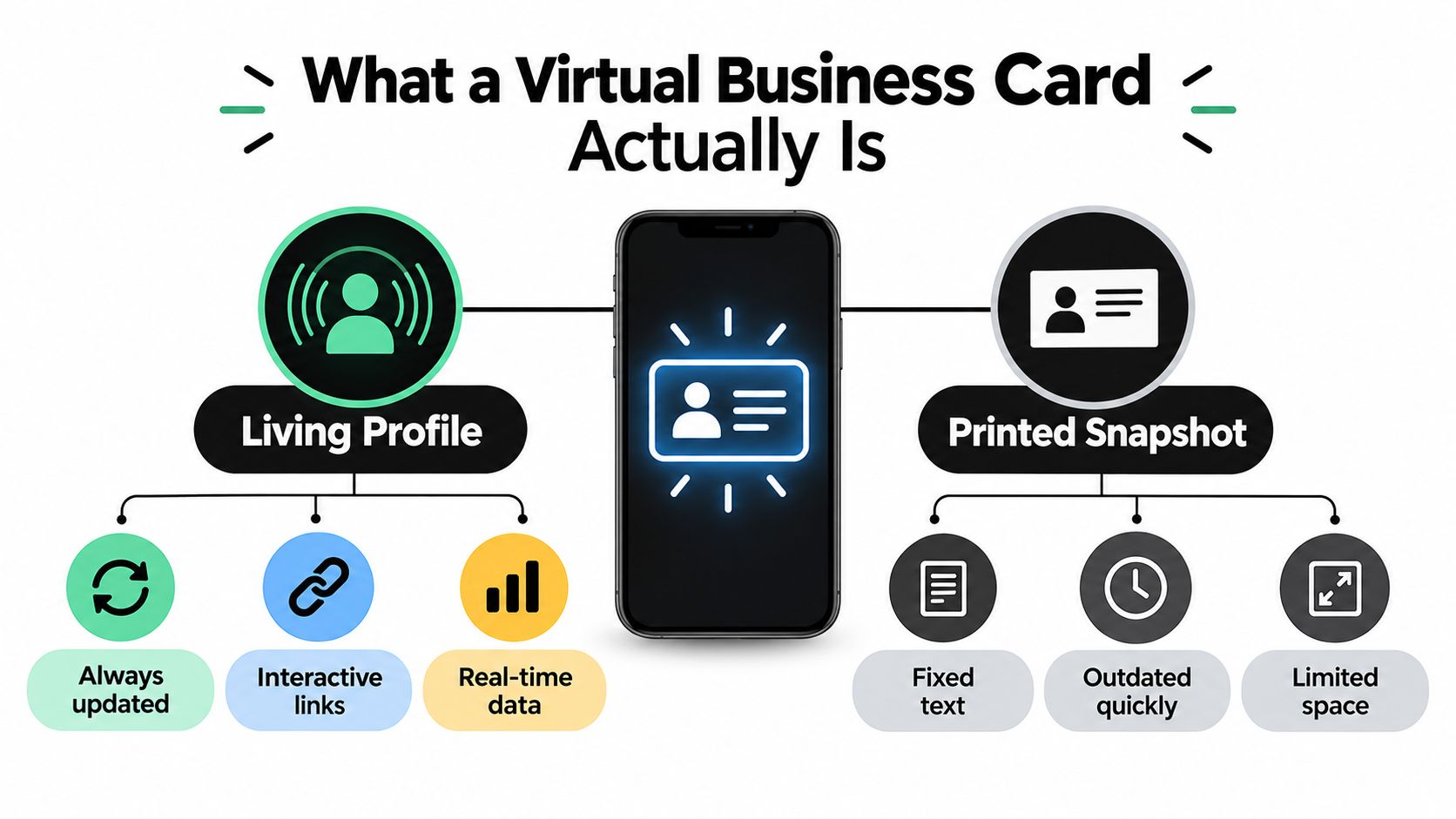
A virtual business card is a shareable professional profile that someone opens digitally. Think of a paper card as a photograph of your contact details, while the online profile is the place where your company maintains the current version.
The profile might contain your name, role, business email, company website and an enquiry button. A QR code, shared link or compatible NFC tap provides access to it. These are different entrances to the same destination, not necessarily separate cards.
Contact cards aren't payment cards
The terminology can cause confusion in South Africa, where banks also use “virtual card” to describe a digital payment instrument. A professional contact profile doesn't, by itself, let someone spend money or receive a payment.
For historical context, ITWeb's reporting on virtual payment cards recorded that Standard Bank's physical-card uptake slowed by more than 50% in 2020 compared with 2019, while virtual cards issued increased by more than 400%; by October 2021, Shyft had issued more than 24,000 virtual cards year to date.
Those figures concern payment cards, not digital networking adoption. They provide context for the language, but they don't prove that businesses are replacing printed contact cards.
Understand the moving parts
| Component | What it does |
|---|---|
| Online profile | Displays the professional information your company publishes. |
| QR code or NFC tag | Points the recipient towards that profile. |
| vCard download | Provides contact information in a format a device can save. |
| Management controls | Let authorised people maintain the published details. |
The useful distinction is between the pointer and the content. You want the pointer to remain dependable while authorised staff update the destination.
Also distinguish a live profile from a saved contact. Updating the website shouldn't be assumed to update an address-book entry someone downloaded earlier. Ask a prospective provider how saved contacts behave, rather than promising colleagues automatic synchronisation.
That mental model prevents a common mistake: treating a picture of a business card, a downloadable contact file and a managed online profile as interchangeable products.
Why South African Businesses Are Ready for Digital Cards
South African business owners don't need another digital tool because it looks modern. They need a tool that fits how their customers and teams already work.
The local evidence offers a useful starting point. A Mastercard SME Confidence Index reported that 80% of surveyed South African SMEs accepted online payments, bank transfers represented 64% of transaction volumes, and 85% of respondents used a dedicated business debit or credit card rather than a personal card.
These findings describe payment practices, not demand for virtual business cards. My interpretation is narrower: businesses already managing commercial activity digitally have a practical foundation for evaluating digital introductions.
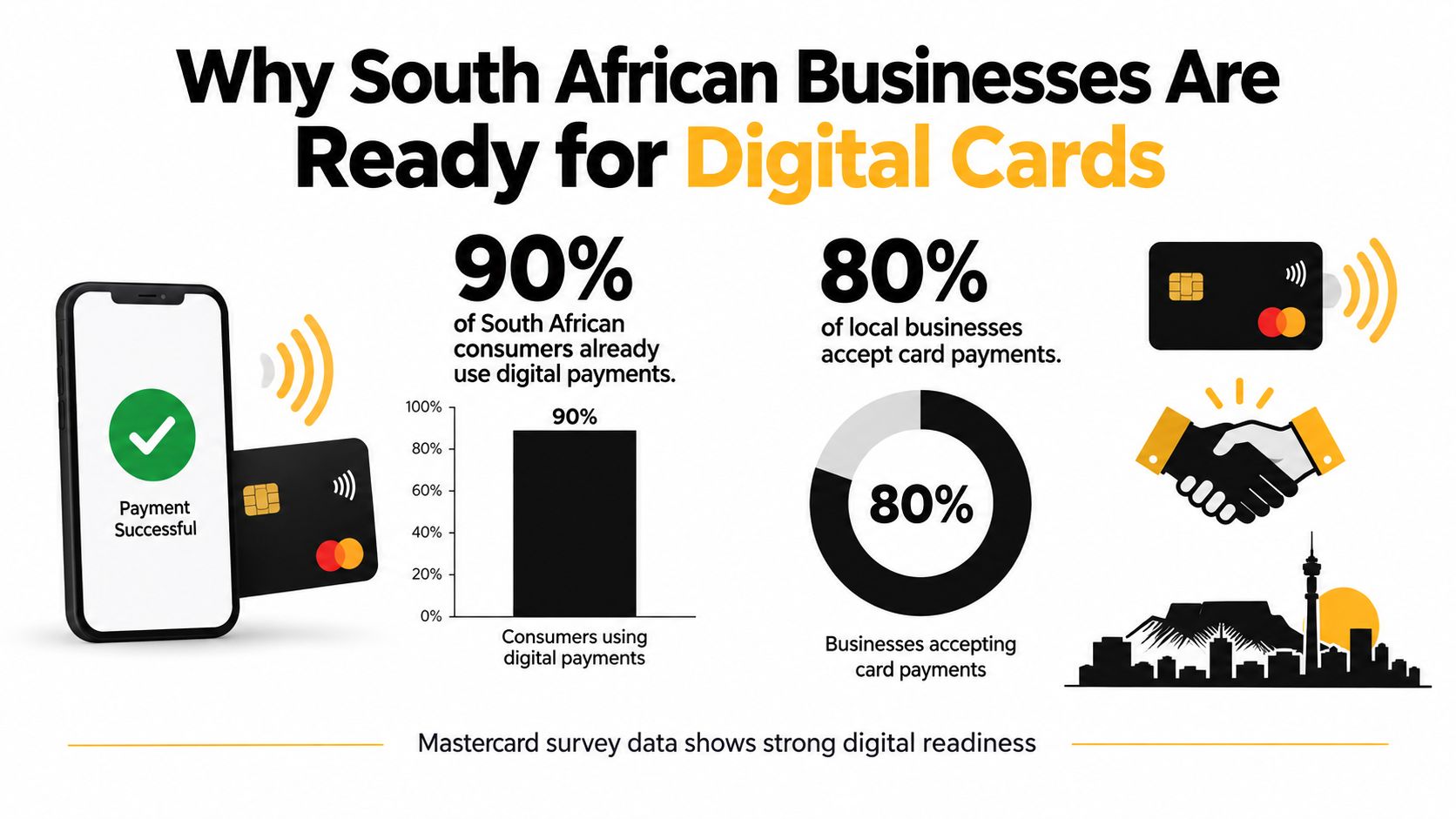
Interpret the visual cautiously: its consumer-payment and card-acceptance labels shouldn't be used as evidence. The cited survey findings concern SMEs accepting online payments and respondents using dedicated business cards, which are different measures.
Readiness depends on the business task
For an exporter, the useful question is whether an overseas buyer can reach the correct sales or finance contact without navigating an unfamiliar organisation. For a business process outsourcing company, it might be whether a prospective client can distinguish the account lead from recruitment or operational support.
Evaluate readiness through practical criteria:
- Existing communication habits: Would customers prefer a browser link sent through email or WhatsApp?
- Ownership: Is someone responsible for keeping public employee information accurate?
- A clear destination: Does each profile help the visitor complete a relevant task?
- Internal capacity: Can the team manage the tool without adding unnecessary administration?
A digitally familiar audience still needs a clear reason to open your profile. A supplier won't benefit from a long collection of social links if they're trying to identify the accounts-payable contact.
Adoption should therefore follow a business need, not a broad claim about digital maturity. If your team frequently introduces itself across borders, changes responsibilities, or redirects enquiries between departments, a managed contact profile is worth testing.
How to Set Up a Virtual Business Card That Works
Build around the recipient's experience. They should be able to open the profile, recognise the company and choose the relevant action without needing a dedicated application.
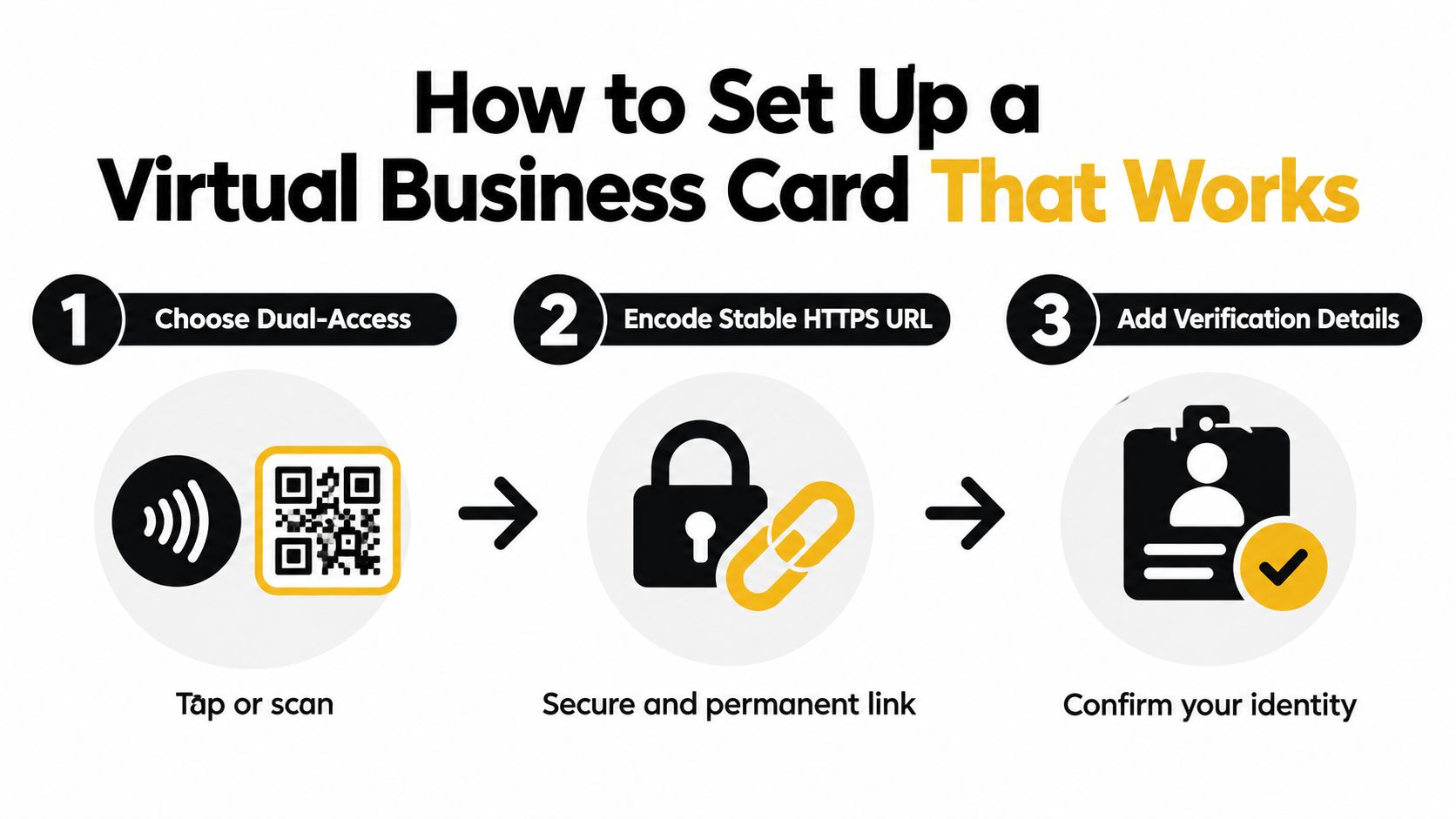
The setup below separates access, destination and identity details.
Choose dependable access
Use a browser-based profile with both NFC and QR access. NFC offers a near-field tap on compatible smartphones; QR provides a camera-based alternative when tapping isn't available.
Encode only a stable HTTPS URL, rather than embedding employee details directly. This recommended architecture, including responsive profiles and contact downloads, aligns with the implementation features described by SA Digital Cards.
Ask the provider these practical questions:
- URL ownership: Who controls the address, and what happens if you leave the service?
- Redirect management: Can the destination change without replacing existing printed codes or NFC assets?
- Contact download: Does the profile provide a standards-compatible vCard?
- Device support: Does the page display clearly on the phones and browsers your contacts use?
A redirect is an intermediate routing point. It lets an administrator change where the existing address sends visitors, which can help preserve distributed materials during a platform or campaign change. It still needs an accountable owner.
Make the page useful before distributing it
Use responsive HTML, readable text and clear action labels. For an export sales representative, prioritise the company introduction, work contact and product-enquiry route rather than filling the page with unrelated destinations.
The embedded video provides an additional viewing option.
Place the profile link in email signatures and WhatsApp messages. Use the QR code on event badges, packaging or printed collateral where the context makes sense.
Test the whole journey before distribution: opening the page, downloading the contact, following enquiry links and submitting any form. Use different devices, and ask someone outside the project to try it without coaching.
Finally, separate access from connectivity. A QR code can point to a web profile, but that doesn't mean the destination is available offline. Keep an ordinary company contact route available when the recipient can't load the page.
Trust and Identity Control in a Digital World
A polished digital profile can still mislead someone. A logo, photograph and scan animation don't establish that the company authorised the person displaying them.
The local context makes verification important. ITWeb's reporting on South African identity fraud states that identity theft reportedly increased by 400% between April 2023 and April 2024, while only 24.5% of surveyed businesses considered their identity-verification processes effective.
Those figures aren't measurements of virtual-card fraud. They do, however, support taking impersonation seriously when designing a public professional profile.

Give recipients a way to check
Prefer a recognisable company-controlled domain or an independently confirmed connection from the official company website. Display a named employee, an accurate role and appropriate work contact details.
HTTPS protects the connection, but it shouldn't be presented as proof that a company or employee is genuine. Likewise, a verification badge needs a clear explanation of who checked what.
A useful digital identity system must let the company say both “this person represents us” and “this person no longer represents us”.
Plan revocation before launch
Consider a hypothetical finance employee who leaves an export business. Removing their login isn't enough if their public profile still invites customers to contact them about invoices.
Assign responsibility for the full departure process:
- End access: Remove the departing employee's editing and administrative permissions.
- Withdraw representation: Disable or amend the public profile and its enquiry routes.
- Preserve continuity: Direct legitimate business enquiries to an appropriate team contact.
- Record the change: Keep an auditable record of who changed the profile and when.
Revocation can control the company-managed destination. It can't erase screenshots, downloaded contacts or copies someone already holds.
Keep sensitive banking credentials and tax information off the public card. For payment-related requests, direct recipients to an approved verification process rather than inviting them to trust account changes merely because they appear on a professional-looking page.
Measuring the Real Business Value of Your Card
A virtual business card earns its place when it helps people take a useful next step. Profile views alone don't tell a finance director whether the tool supports sales, supplier communication or customer service.
Resource constraints matter. Xero's South African small-business research found that 45% of small businesses cited technology among their most valuable business contributors in the past year, while 38% identified limited resources and skills as barriers to adoption.
That tension argues for a focused test, not an elaborate reporting project.
Measure a business journey
Choose a specific purpose, such as helping trade-show contacts request an export quotation. Then follow the path from opening the profile to submitting an enquiry and receiving a response.
| Signal | What it helps you assess | Important limitation |
|---|---|---|
| Profile view | Whether someone reached the destination | It doesn't establish buying intent. |
| Contact download | Whether someone requested contact details | A download isn't necessarily a completed save. |
| Enquiry submission | Whether a visitor asked for follow-up | Staff must still assess relevance. |
| Meeting booking | Whether someone requested a conversation | A booking doesn't guarantee attendance or revenue. |
Use separate distribution identifiers for QR, NFC, email signatures and WhatsApp where your platform supports them. To understand the scan-tracking part, RedirHub's guide can help you measure QR campaign success.
Connect activity to staff follow-up
Ask the sales team to record whether an enquiry was relevant and what happened next. A basic customer relationship management record can be more useful than a dashboard nobody reviews.
For finance-facing profiles, success might mean that international customers reach the correct invoicing contact. Link to an approved company information page or enquiry route, not a public collection of sensitive payment details.
Compare the benefits with subscription costs, setup work, administration and staff effort. Don't claim a return on investment from scans alone.
Keep the test small enough to manage, and review the quality of outcomes alongside activity. If people open the page but can't find the relevant action, improve the destination before distributing the code more widely.
POPIA Compliance for Your Digital Card
Publishing a work profile doesn't remove the need to protect personal information. The same applies when your platform collects visitor enquiries, identifiable analytics or contact records.
POPIA regulates personal-information processing by private bodies and establishes eight conditions for lawful processing; the identifying information described in South African public-sector POPIA guidance includes the kinds of contact details that a digital card may expose.
Treat the platform as part of your organisation's information-management responsibilities, not just as a marketing design tool. The appropriate implementation depends on what you publish, collect, retain and share.
Start with purpose and access
Define why each field is needed. A business enquiry form may need a name, work email and message, but that doesn't justify collecting unrelated personal information.
Use a concise privacy notice at the point of collection. Explain who processes the information, the purpose, relevant sharing arrangements, and how a person can raise an access or correction request.
Build operational controls around that notice:
- Restricted permissions: Give employees and administrators access appropriate to their responsibilities.
- Protected data: Require encryption in transit and at rest, including for stored lead information.
- Retention rules: Document how long records are needed and how deletion is handled.
- Request handling: Assign responsibility for access, correction and applicable deletion requests.
- Audit records: Record profile edits, exports and permission changes against an identified user and timestamp.
Check the provider as well as the profile
Ask who can export lead records, where administrators review access, and how your team retrieves or removes information when the service ends. A setting labelled “private” isn't a substitute for understanding these processes.
Governance checkpoint: If nobody can explain who holds the data, why it's retained and who can remove it, pause the rollout.
A platform's compliance claim shouldn't be treated as a guarantee that your own use is lawful. Your organisation still needs appropriate practices, and complex questions should go to its Information Officer or a qualified adviser.
Good governance makes the card easier to manage responsibly. It also gives staff a clear process when someone asks what information the business holds about them.
Making the Switch to a Virtual Business Card
Start with the business problem, not the card design. An exporter trying to route buyer enquiries needs a different profile from a BPO executive introducing account-management services.
Choose a pilot with a clear owner and a defined audience. Ask participating staff what recipients need to do, then remove anything that distracts from that task.
Choose a manageable starting point
| Decision | A low-friction starting point | More involved organisational needs |
|---|---|---|
| Ownership | A named person maintains the profile | Departments have approval responsibilities. |
| Publishing | A small set of approved work details | Teams manage role-specific templates. |
| Follow-up | Enquiries reach a monitored inbox | Records enter an established customer workflow. |
| Oversight | Changes receive a straightforward review | Administrators review permissions and audit records. |
These aren't competing approaches. Keep the recipient experience simple while applying controls proportionate to the information and authority involved.
Before selecting a provider, ask to see the administrative functions rather than only the finished profile. Have the provider demonstrate an employee departure, an incorrect-detail correction and an information-access request. Those exercises reveal more about operational suitability than a choice of colours.
Decide what would justify expansion
Agree on what success means before the pilot begins. You might want clearer enquiry routing, relevant meeting requests or less confusion about who handles an account.
Review staff feedback alongside the measurement approach already described. If recipients struggle, simplify the experience; if administrators struggle, resolve ownership and permissions before adding more employees.
Avoid collecting information merely because the platform permits it. Also avoid publishing profiles that nobody has committed to maintain.
The strongest reason to switch is controlled, current professional representation. Convenient sharing supports that goal, but it doesn't replace verification, responsible data handling or a workable withdrawal process. Start with a useful introduction, test it with real recipients, and expand only when your team can maintain it confidently.
Zaro offers cross-border payments for South African businesses, with ZAR and USD accounts, business verification and team permissions. If your digital introductions lead to overseas customers, suppliers or contractors, visit Zaro to explore how its payment tools could support the next stage of that business relationship.