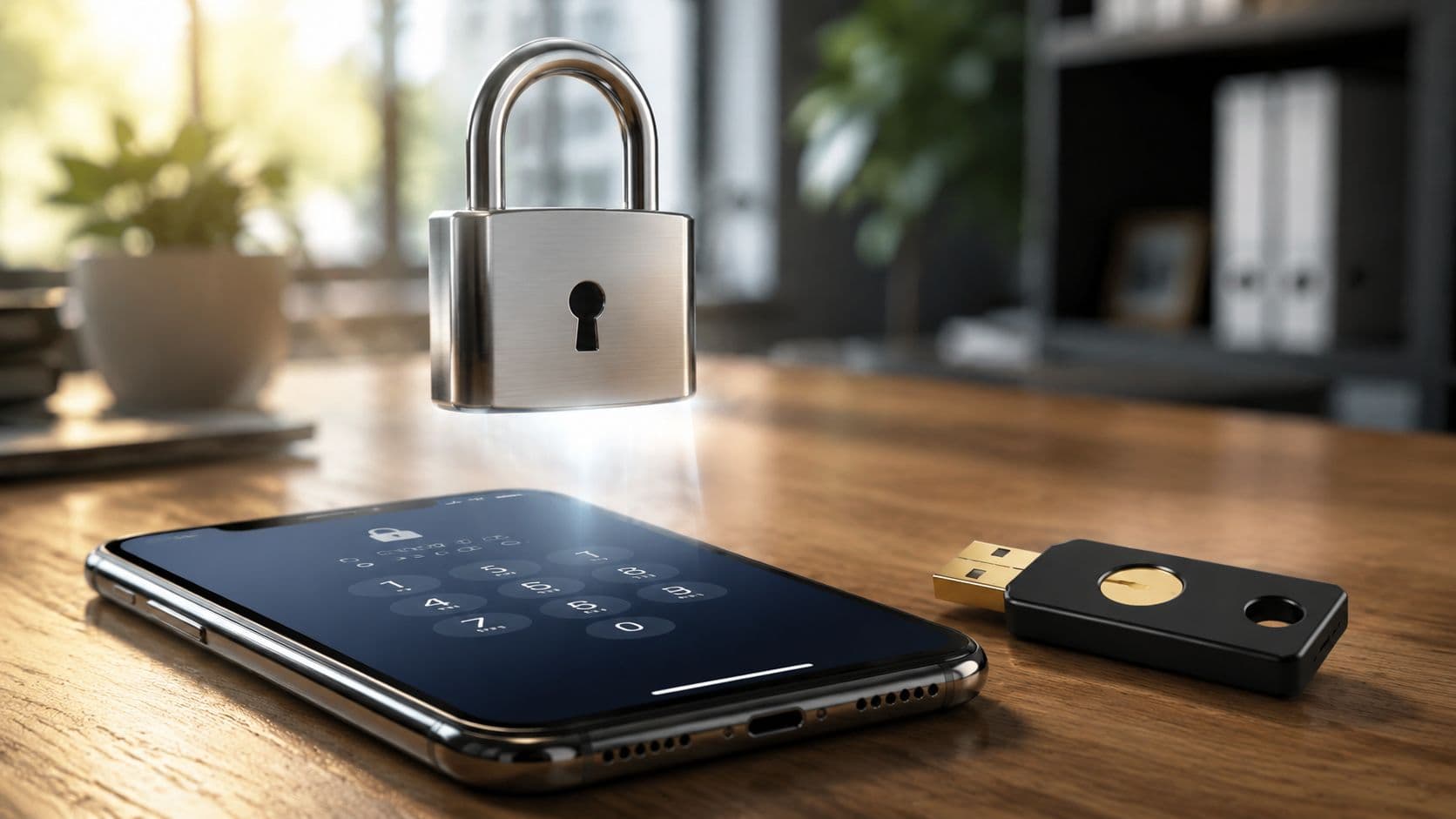
You're at the end of a normal workday, the finance inbox is still open, and a payment approval is sitting there waiting for a quick sign-off. The supplier name looks familiar, the amount is urgent, and the password to the inbox, the banking portal, and the expense tool all still feels like the one thing holding everything together. That's exactly where two-factor authentication, or 2FA, earns its place in a South African SME, especially when one stolen password can touch payroll, supplier transfers, and cross-border payments.
In plain English, what is two factor authentication? It's a second lock on top of the password. If someone gets the password, they still need another proof that they're really you, usually from a phone, a hardware key, or a biometric check. For South African finance teams handling real money and real compliance obligations, that second lock isn't a luxury. It's part of basic operational hygiene under POPIA, which requires appropriate, reasonable technical and organisational measures to protect personal information, and it fits the stronger authentication direction seen in modern banking and payments controls. data breach legal risks is a useful reminder of how messy the consequences can get when that protection is missing.
The Password That Almost Cost a South African Business
A password by itself is too weak for a South African SME once finance access connects to business banking, payroll, supplier payments, and cloud accounting. One stolen login can give an attacker the same view and reach as a legitimate user, which is why password-only protection fails so often in payment workflows.
That matters in a finance team because the risk is not abstract. A staff member may open email, approve a supplier payment, or sign into a fintech platform such as Zaro, and every one of those steps can become a point where fraud starts if the only control is a password. For South African businesses, that can mean a payment run, a payroll file, or a cross-border transfer being exposed to the wrong person.
Practical rule: if a login can lead to money leaving the business, a password on its own is too weak for 2026.
A stolen password can also create a legal and operational headache, not just a security incident. If personal information is exposed during the breach, the business has to think about breach handling, notifications, and the broader legal risk profile. That is why it helps to read about the practical side of data breach legal risks alongside your technical controls, because the finance team and the compliance team are often dealing with the same incident from different angles.
For SMEs that handle USD/ZAR flows, the threat is even more obvious. Finance staff usually work fast, approve under pressure, and rely on remote access across multiple systems. 2FA adds the second lock that makes a stolen password far less useful.
Understanding the Core Concept of Two-Factor Authentication
A South African finance team can picture two-factor authentication as a password plus a second check from a different place. The password gets you through the first gate. The second check makes an attacker prove they also have the phone, token, or biometric tied to the account, which is far harder to fake after a phishing email or leaked password.

The three factor categories
Authentication usually falls into three buckets. Something you know is a password or PIN. Something you have is a phone, a hardware token, or a security key. Something you are is a biometric such as a fingerprint or face scan. Microsoft's explanation of 2FA follows the same pattern, where the login only continues after the first credential is accepted and the second proof is checked. Microsoft's 2FA overview gives the official definition in plain language. If you want a visual shortcut, the idea matches the diagram above.
The ATM example is easy to relate to. A bank card on its own does not complete the withdrawal, and a PIN on its own does not complete it either. The machine asks for both, and that combination protects the cash point. Business logins work the same way for email, banking portals, and payment approvals.
That matters for a South African SME because the accounts at risk are the ones tied to supplier payments, payroll, and fintech tools such as Zaro. A password can be copied or guessed. A second factor usually has to come from the person who is holding the registered device or key.
2FA versus MFA without the jargon
People often mix up 2FA and MFA, so the simplest distinction helps here. 2FA means exactly two factors. MFA, or multi-factor authentication, means two or more. In everyday business use, vendors sometimes label a login flow as MFA even when the setup is really just two-factor.
The important point is whether the second proof comes from a different category than the password. If someone answers another password-style question, that does not add much protection. If they enter a password and then confirm on a trusted device or with a hardware token, the login is much harder to fake. That is the same practical logic behind efforts to set up MFA without breaking access, especially in teams that still need staff to approve payments quickly.
Rule of thumb: if the second step cannot be reused just from knowing the password, it is doing real security work.
For finance teams, that usually means email, banking portals, and approval tools should all require a second factor before anyone can view, approve, or move money.
Common 2FA Methods Compared
South African businesses usually get offered four real options, and they're not equal. Some are easy but weak, some are stronger but need a bit more setup, and some are best for high-value admin access only.
| 2FA Method Comparison for South African Businesses | Method | Security Strength | Ease of Use | Cost | Best For |
|---|---|---|---|---|---|
| 2FA Method Comparison for South African Businesses | SMS one-time codes | Lower | Very familiar | Low | Basic fallback, low-risk logins |
| 2FA Method Comparison for South African Businesses | Authenticator app TOTP | Strong | Easy once set up | Low | Finance users, cloud accounts, travel-friendly access |
| 2FA Method Comparison for South African Businesses | Push notifications | Strong, but user-dependent | Very easy | Low to medium | Busy teams that need quick approvals |
| 2FA Method Comparison for South African Businesses | Hardware security key | Strongest | Slightly less convenient | Higher | Admin roles, high-value approvals, sensitive systems |
Why TOTP feels familiar but safer than SMS
TOTP means time-based one-time password. The code refreshes in a short window, commonly about 30 seconds, and the server checks that the code matches before it lets the login continue. That time limit reduces replay risk, because the code isn't meant to sit around and be reused later. A practical explanation of that flow is covered in the TOTP guide.
Authenticator apps like Microsoft Authenticator or Google Authenticator are usually a better fit than SMS because the code comes from an app tied to the device, not from telecom delivery. SMS is still common in banking apps because it's familiar and easy to roll out, but it's the weakest of the common options. Push notifications are smoother for users, yet they still rely on the person paying attention to the prompt. Hardware keys are the toughest to phish, but they need the most discipline.
A practical recommendation ladder
- Hardware key first: best for admin roles, treasury access, and users who approve payments.
- Authenticator app second: the right balance for most finance staff.
- Push third: useful when speed matters, but only if users are trained to inspect prompts.
- SMS last: better than no 2FA, but not the first choice for anything important.
For a travelling finance team, offline reliability matters too. App-based TOTP and hardware keys are better suited to spotty connectivity than SMS-dependent workflows.
How a 2FA Login Works Step by Step
A normal 2FA login is easy to follow once you break it into the order of events. The user enters a password, the server checks it, and then the system asks for a second proof before access is granted. If the password has been stolen but the second proof is missing, the login stops at that point.

Login flow
First, a finance user signs in to email, a banking portal, or a cloud app with a password. The system checks that first factor, much like a guard comparing the first ID against a visitor list. Only after that does it ask for the app prompt, the TOTP code, or the security key confirmation. If an attacker only has the password, the login ends there.
That matters because many attacks run without a human sitting behind them. Once a password is guessed or phished, the second step gives the system a chance to block the attempt before the account opens. For South African SMEs that handle supplier invoices, payroll, or finance inboxes, that extra check can be the difference between a blocked login and a real fraud event.
Payment approval flow
The same sequence applies when money is about to leave the business. A user starts a supplier payment or international transfer, the bank or fintech platform sends a second-factor prompt, and the user confirms the action on a trusted device or with a code. Only after that confirmation does the payment go through.
That checkpoint matters in business banking because it separates “someone knows the password” from “someone with an approved device or key is authorising this transfer.” It is the difference between a mailbox compromise and a fraudulent release of funds. Teams that handle payment approvals, salary runs, and supplier batches need that difference to be enforced by the system, not assumed by memory or policy.
A short walkthrough video can help non-technical users recognise the sequence.
Once users see the flow once, the mystery disappears. 2FA provides a second proof of identity rather than requiring a second password.
Real Benefits and Honest Limitations
The biggest benefit of 2FA is simple. It makes a stolen password far less useful. That cuts down the value of phishing emails, password reuse, and credential stuffing attacks, because the attacker still has to clear a second gate before getting in.

Where 2FA helps most
2FA is strongest when it protects the accounts that sit closest to money or sensitive data. That includes email, finance systems, bank portals, and admin consoles. If one of those gets phished, the second factor forces the attacker to stop and look for another path.
It also slows down human error. A person who clicks a fake login page still has to approve the prompt or enter the code, and that extra step gives the user or the security team a chance to notice something's wrong. In a busy finance environment, that pause is valuable.
Where 2FA can still fail
SMS-based 2FA can be undermined if someone takes over the mobile number through telecom fraud. Push-based login can also be abused if users mindlessly approve prompts they didn't request. That's why the second factor is a control, not a guarantee.
2FA also loses value if staff start bypassing it for convenience. If recovery processes are loose, or if admin roles aren't tightly managed, the business ends up with the appearance of security rather than the substance of it.
Good security stack, not silver bullet: pair 2FA with device management, access reviews, and transaction limits.
That combination matters. Device controls stop risky laptops from becoming trusted endpoints. Access reviews remove old permissions when staff change roles. Transaction limits reduce the impact of a mistaken or malicious approval. 2FA is the front gate, not the whole fence.
Why 2FA Matters for South African Businesses and Compliance
South African SMEs don't need a theoretical reason to care about 2FA. They need a practical one. POPIA requires responsible parties to secure personal information with appropriate, reasonable technical and organisational measures, and 2FA is widely treated as one of the baseline controls that fits that standard. It's especially relevant where staff accounts can reach customer records, payroll data, or payment instructions.

The business case in plain terms
South Africa's digital payment footprint is large, and that raises the stakes for finance teams. The World Bank's Global Findex 2021 data showed that 80% of South African adults had an account at a financial institution or mobile money provider, and 49% used the internet to make a digital payment in the previous year. That's a broad base of people and businesses handling online money, which makes secure login and transaction verification more important, not less. World Bank-based Global Findex data is a useful reference for that context.
In banking and payments, the South African Reserve Bank's push toward modernised payment systems has also pushed institutions toward stronger customer authentication. In practice, that means the old assumption that a password alone is enough no longer holds up well for finance workflows. A single compromised login can touch supplier payments, payroll runs, and transfer approvals.
Where this hits South African teams
This is especially important for businesses using platforms with multi-user access and configurable permissions. A platform like Zaro, which handles cross-border payments and admin access in a controlled finance workflow, depends on every login being properly verified before someone can see balances, approve a transfer, or manage user rights. The same principle applies to other payment platforms, accounting systems, and business banking portals.
For teams that handle card data or payment credentials alongside bank transfers, the wider control picture matters too. A separate guide on protecting cardholder data is useful because card security and login security usually sit in the same risk conversation.
The bottom line is simple. Without 2FA, one compromised password can expose high-value ZAR and USD flows. With it, the attacker has to beat the second lock as well.
Enabling 2FA on the Services Your Business Uses
Start with the accounts that touch money and mail. For Google Workspace and Microsoft 365, make 2FA mandatory for all finance users and all admins, then prefer authenticator apps or hardware keys where the platform allows it. If the option exists, do not leave SMS as the default for sensitive roles.
For banking apps and payment platforms, the same rule applies. Turn on the strongest method the service offers, then verify that every user who can approve payments is enrolled individually rather than sharing access. Shared logins create shared risk, and they make it much harder to track who approved what.
A simple finance-team checklist
- Make admin roles mandatory: every person with payment or user-management rights should have 2FA on.
- Use backup methods carefully: keep recovery codes and fallback options recorded in a secure internal process, not in a shared inbox.
- Review access when staff change: remove old devices, old roles, and old approvals the same day someone leaves or moves.
- Check quarterly: confirm that 2FA is still active on email, accounting, banking, and payment tools.
A finance team should also treat each platform as a separate entry point. Email is where password resets land, accounting tools hold invoice and supplier data, and banking portals move cash. If one of those systems is weaker, the others are still exposed.
For cloud tools like Microsoft 365, a practical setup guide such as set up MFA without breaking access can help teams avoid locking themselves out during rollout. That matters when a finance lead is approving payments, a bookkeeper is waiting on a reset, or an admin is moving people off old devices.
The main mistake finance teams make is treating 2FA as an IT project instead of an access control policy. It works best when it is written into the way the business already approves payments, handles recovery, and offboards staff.
Your Minimum Viable 2FA Setup This Week
By the end of this week, every employee should have 2FA on email. Every finance user should have app-based or hardware-key 2FA on business banking. Every platform that moves money, including fintech tools, should require a second factor for admins and approvers.
Write a recovery-code policy before anyone gets locked out. Store those codes where your finance lead and IT admin can reach them, and make sure the business knows who can use them. That keeps security from turning into chaos the first time someone changes phones or travels without a trusted device.
Your board or CFO should hear one sentence: if it touches money, 2FA is the standard second lock, not an optional extra.
If your team is modernising cross-border payments, Zaro gives South African businesses a tighter way to manage approvals, permissions, and secure access while moving money internationally. Visit Zaro to see how a finance workflow built around control and visibility can support the same 2FA discipline you'd expect across the rest of your stack.